Mobile Agent Testbench
Android app testing for LLM agents.
Give an LLM agent with browser tools a way to see and control a native Android app. Run the console locally, interact with a device or emulator, and keep a record of the actions and screenshots.
View on GitHub (opens an external site)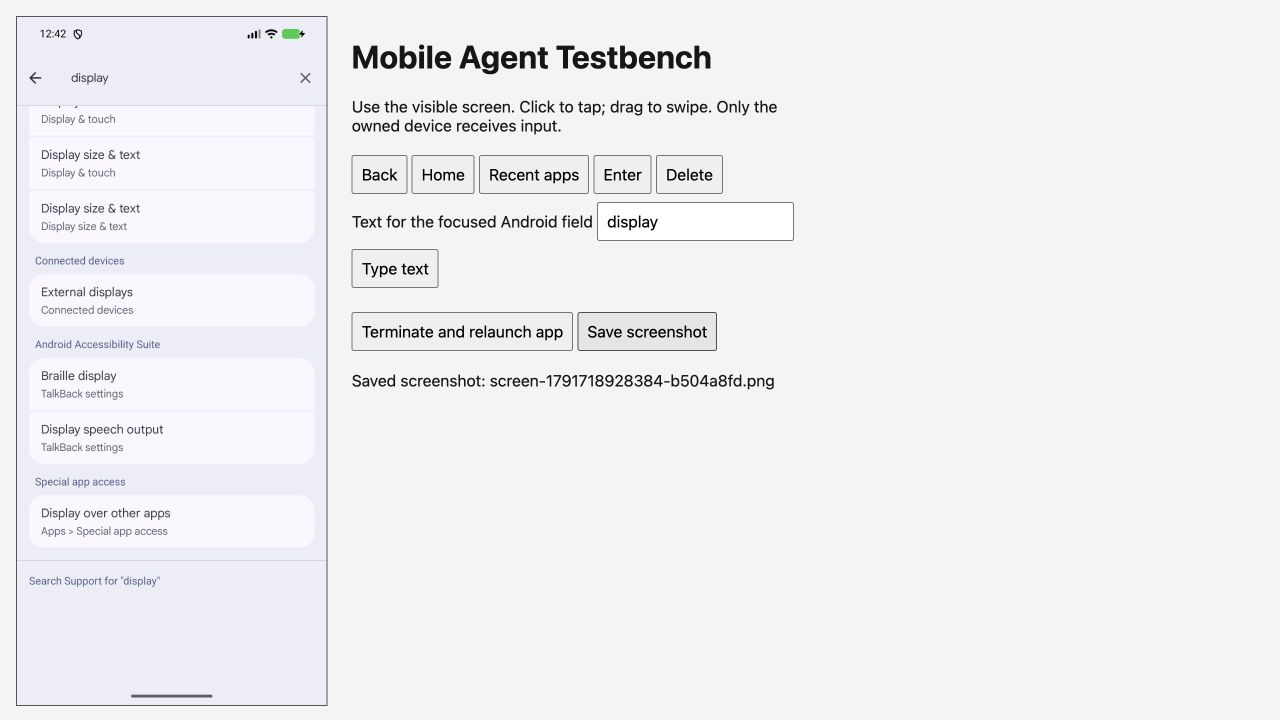
From device to evidence.
Connect a device
Use an Android device with USB debugging enabled or a running emulator. Install the app you want to test.
Open the console
Start Mobile Agent Testbench for your app and device. Open its local URL in the agent’s browser tool or your own browser.
Test the app
Click to tap, drag to swipe, enter text and use the navigation controls. Inspect the screen after each action.
Review the evidence
Review the action log and save screenshots. The agent or tester checks the outcome; the console does not decide whether a test passed.
What you need.
Runs locally on macOS and Linux. You need Node.js 22 or later, Android SDK platform-tools and an authorised Android device or emulator. No hosted service or account is required.
Current support is Android only. The console supports single taps, straight swipes and limited text input. Screenshots refresh about every 1.5 seconds; multi-touch and live video are not supported.
Read setup instructions on GitHub (opens an external site)